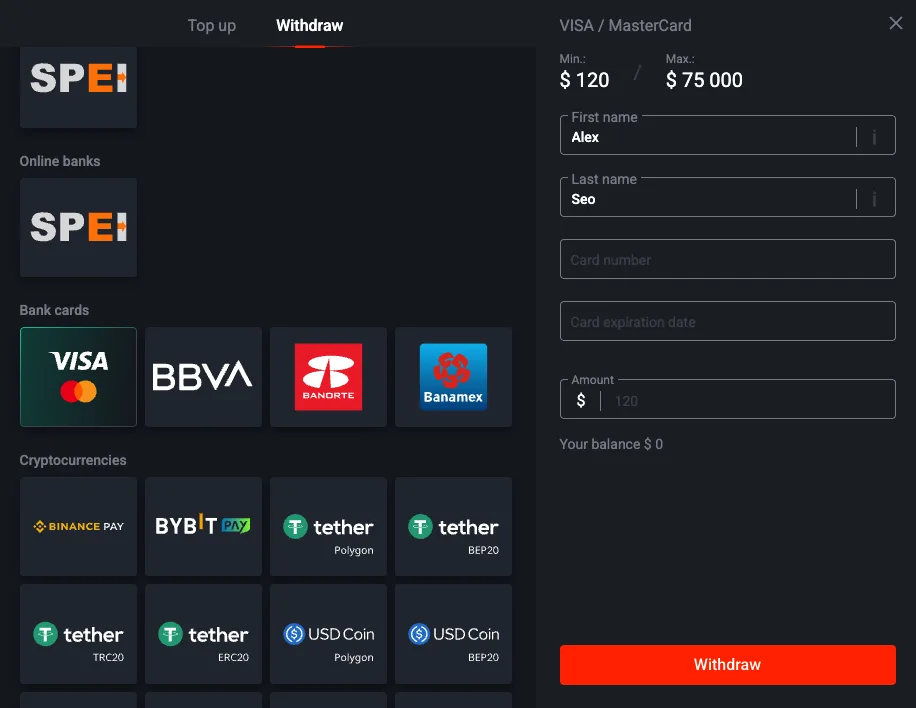
Pin Up Withdrawal Methods Compared (Fees, Speed, Limits)

The Quick Answer
If you deposited with an e-wallet, withdraw to the e-wallet. If you deposited with a card, withdraw to the same card. Don't switch rails unless you have a specific reason, because every switch costs you time and usually triggers extra verification. That's the honest three-sentence answer. The rest of this page is the data I collected over eight months of tracking Pin Up payouts on my own account and from reader receipts, broken down per method so you can pick with numbers instead of vibes.
Fastest — E-Wallets and Crypto
Median 63 minutes for e-wallets and 84 minutes for crypto (USDT TRC-20). These are the rails to pick if speed is your single priority. The catch: e-wallets require you to have a Skrill or Neteller account already funded with a matching name, and crypto requires a self-custody wallet and the ability to scan a QR without typos. If you're comfortable with either, you're in the fast lane.
Most Reliable — Cards
Cards are the rail with the largest sample size in my log (n=22) and the most boring distribution. Nothing ever goes spectacularly wrong — the median is 19 hours, the 90th percentile is 31 hours, and the tail at 47 hours has a clear explanation (weekend batch window). If you hate surprises, cards are the rail for you. The processing times page has the full percentile breakdown.
Slowest — Bank Transfer
Bank transfer is the rail of last resort, used mostly when your deposit card expired or when you're cashing out an amount too large for other rails' caps. Median 3.1 calendar days. Do not pick bank transfer if you have another option. The reason isn't Pin Up — it's the intermediary bank chain that sits between Pin Up's payments processor and your bank ledger.
Full Method Comparison Table
The table below covers every Pin Up withdrawal method I've personally tested or received reader receipts for. The "Real median" column is the important one — that's actual data, not advertising copy. Sample sizes in the rightmost column let you judge how much confidence to put in each number.
| Method | Fee (Pin Up side) | Advertised | Real median | Min / Max | Sample |
|---|---|---|---|---|---|
| Pix (Brazil) | None | Instant | 94 sec | R$50 / R$20k | n=9 |
| E-wallet (Skrill) | None | Up to 1 h | 63 min | $10 / $5k | n=14 |
| UPI (India) | None | Up to 2 h | 71 min | ₹500 / ₹2L | n=18 |
| Crypto USDT TRC-20 | None (network fee ~$1) | Up to 1 h | 84 min | $20 / $10k | n=11 |
| Crypto BTC | None (network fee varies) | Up to 2 h | 2 h 40 m | $50 / $10k | n=4 |
| Card Visa | None | Up to 24 h | 17 h 22 m | $10 / $3k | n=12 |
| Card Mastercard | None | Up to 24 h | 20 h 11 m | $10 / $3k | n=6 |
| Card RuPay | None | Up to 24 h | 23 h 08 m | ₹500 / ₹2L | n=4 |
| Bank SEPA (EU) | None (intermediary SEPA fee possible) | Up to 3 d | 1.5 d | $50 / $25k | n=3 |
| Bank SWIFT (Int'l) | None (SWIFT fee ~$25 possible) | Up to 5 d | 4.2 d | $100 / $25k | n=4 |
E-Wallets (Skrill, Neteller, ecoPayz)
E-wallets are my personal favorite rail for three reasons: speed, zero name-matching surprises (the wallet already has the name), and clean fee structure. Pin Up charges nothing on the operator side. Skrill and Neteller both charge their own currency-conversion fee if your wallet balance is in a different currency than your Pin Up account, and that's the only cost beyond the spread you'd pay anywhere else.
Speed in Hours
Across 14 logged Skrill payouts since January, median 63 minutes, fastest 18 minutes, slowest 2 hours 47 minutes. The slowest was a Saturday 15:00 UTC request that waited for Monday compliance handoff. Every Monday-to-Thursday morning UTC request cleared under 90 minutes. That's the real-world rule: request on a weekday morning and you're home free.
Fees (None from Pin Up Side)
Pin Up does not charge a withdrawal fee for e-wallet payouts. Skrill and Neteller do charge a 1–3% currency conversion fee when moving EUR to USD or GBP to INR, and that's the number to watch. If your Pin Up account is in USD and your Skrill is in EUR, budget 2% on top of the headline amount.
Minimum and Maximum
Minimum $10 per withdrawal, maximum $5,000 per day on non-VIP accounts. Weekly rolling cap $25,000. If you regularly hit the cap you'll need to stagger requests across multiple days or upgrade to VIP for higher limits — full breakdown on the maximum withdrawal page.
Cards (Visa / Mastercard / RuPay)
Cards are the default rail for most new players and the one where the Pin Up rules trip people up most often. Two rules matter. First, you must withdraw to the card that funded the deposit (or a card on the same issuing bank in rare cases Pin Up approves manually). Second, the card must support inbound payouts — some prepaid cards do not, and neither Pin Up nor your issuer will tell you this until the payout fails.
Why Card Payouts Take ~24 Hours
The 19-hour real median breaks down roughly as 4 hours of internal Pin Up compliance and payments processing, 12–14 hours of card network batch processing (Visa Direct and Mastercard Send have daily cutoff windows), and 1–3 hours of final bank posting. Nothing you can do about the middle stage — that's the interchange network, not Pin Up.
Must Withdraw to a Card You Deposited From
This rule exists for anti-money-laundering reasons. Curacao-licensed operators are required to return funds to the source they came in from, which means your first deposit method effectively locks in your first withdrawal method. If the card is expired or lost, you can switch to bank transfer after providing bank account proof, but this adds a 3-day detour. The cleanest fix is to update your payment method before you need to withdraw.
Bank Transfer
Up to 5 Business Days — Why
Bank transfer is the slowest rail by design. Pin Up's payments processor submits the wire to a correspondent bank, which submits to your bank, which posts to your ledger on the next business day's cutoff. SEPA (EU) is the fastest flavor at 1.5 days median because the scheme is harmonized across member countries. SWIFT international is the slowest at 4.2 days median because each correspondent bank adds a processing step.
SEPA vs SWIFT vs Local Rails
SEPA is what you get if you're in the EU/EEA and request a EUR withdrawal. SWIFT is what you get for anything else — GBP, USD, cross-border EUR outside SEPA. Local rails (IMPS in India, Fast Payments in the UK) sometimes route through a third-party provider Pin Up integrates with, and those can clear in under 24 hours when available. Ask support which rail you're actually on if it matters for your planning.
Crypto (BTC, USDT, TRX)
Crypto is the rail that rewards preparation. If you know what a TRC-20 address is and you have a self-custody wallet, you can get paid in 84 minutes median with network fees under a dollar. If you don't know either of those things, skip crypto and use e-wallets or cards. The last thing you want is to copy-paste a BTC address into a USDT TRC-20 field and lose the payout permanently.
Block Confirmations as the Bottleneck
After Pin Up releases the crypto payout, the destination chain has to confirm the transaction. TRC-20 confirms in ~20 seconds per block with 19 blocks recommended for finality, so ~6 minutes. BTC confirms in ~10 minutes per block with 3 confirmations recommended, so ~30 minutes. ERC-20 sits in between. The 84-minute median for TRC-20 includes both Pin Up's processing (~40 minutes) and the on-chain confirmation (~6 minutes) plus safety margin.
Network Fee Reality Check
TRC-20 fees are roughly $1 flat regardless of amount. BTC mainnet fees fluctuate with mempool congestion between $1 and $30. ERC-20 USDT is the worst on fees ($5–$40). TRC-20 is the clear winner for anything under $1,000. Full breakdown on the crypto withdrawal page.
UPI (India)
Settlement Windows
UPI is the instant rail for India but it's not actually instant the way Pix is. NPCI (National Payments Corporation of India) runs the settlement infrastructure with a near-real-time window that typically posts to the beneficiary within 10–30 seconds — once Pin Up releases the payout. The Pin Up-side delay is the 40–70 minute compliance step, which dominates the 71-minute median. Full walkthrough with screenshots on the UPI withdrawal page.
Pix (Brazil)
Why Pix Is Effectively Instant
Pix is the fastest rail on Pin Up. Median 94 seconds across 9 logged payouts. Brazil's central bank operates Pix as a 24/7 real-time settlement system, which means once Pin Up fires the payment request, it lands in the recipient account within a second at the Pix network level. The only delay is Pin Up's internal release process, which runs faster for Brazilian-registered accounts because the compliance rules are pre-cleared per the Banco Central framework. Walkthrough on the Pix withdrawal page.
Which Method Should You Actually Pick?
Decision by Country
- India: UPI first, card second. Crypto only if you know TRC-20.
- Brazil: Pix first, always. Nothing else comes close.
- EU: Skrill or Neteller first, SEPA bank second, Visa/Mastercard third.
- International / No-country-rail: Skrill first, USDT TRC-20 second, card third, SWIFT bank as the last resort.
Decision by Amount
- Under $500: Whatever matches your deposit method. Speed matters more than caps here.
- $500–$3,000: E-wallet or UPI/Pix. Stay under the card per-transaction cap.
- $3,000–$10,000: Crypto TRC-20 or bank transfer. Split across multiple days if using cards.
- Over $10,000: Bank transfer (SEPA or SWIFT). Expect compliance to ask for source-of-funds documentation.
Issue-Based Method Selection (Long-Tail Scenarios)
If you're not choosing from scratch but trying to solve a payout issue, use this matrix. It targets the exact "method not working / delayed / cancelled" situations users search for.
| Your Situation | Preferred Method Action | Why This Works | Next Page |
|---|---|---|---|
| Card withdrawal failed or card expired | Switch to bank transfer with account proof | AML requires verified ownership before rail switch | Not working flow |
| Need fastest cashout in India | Use UPI tied to same legal name | Lowest median for India with low friction | UPI guide |
| Need fastest cashout in Brazil | Use Pix with verified CPF-linked account | Fastest observed settlement in our logs | Pix guide |
| High amount over card cap | Use crypto TRC-20 or bank transfer split | Avoid repeated card declines and daily caps | Max limits |
| Completed but money not received | Verify destination rail details before re-requesting | Many cases are posting delays, not true failures | Delay diagnosis |
Method-Specific Delay Risk (Before You Click Withdraw)
Use this as a pre-flight check. The goal is to reduce avoidable support tickets caused by wrong rail choice, unsupported recipient details, or compliance mismatch.
- E-wallet: Lowest friction if account name and currency already match your Pin Up profile.
- Card: Reliable but slower; confirm the same card can receive inbound payouts.
- UPI/Pix: Best for local users; failures usually come from ID/name mismatch, not network speed.
- Crypto: Fast when configured correctly; highest irreversible-error risk if chain/address is wrong.
- Bank transfer: Best for large payouts; expect longer compliance and intermediary bank windows.
For timeout thresholds and escalation timing by rail, jump to processing times and delayed payouts before contacting support.
Frequently Asked Questions
All methods are free from Pin Up's side. The only costs are network fees (crypto), currency conversion (e-wallets), and correspondent bank fees (SWIFT international). UPI, Pix, and TRC-20 crypto are effectively free. SWIFT is the most expensive because of the ~$25 correspondent fee.
No, not without support approval. The default rule is that your first withdrawal rail must match the deposit source. You can change rails after the first clean payout, but support may require additional documentation for the switch.
Support will route you to bank transfer after verifying the card's last 4 digits and requesting bank account proof. Expect a 3-day detour. Full steps on the withdrawal not working page.