
Pin Up KYC Verification: Document Checklist and Walkthrough

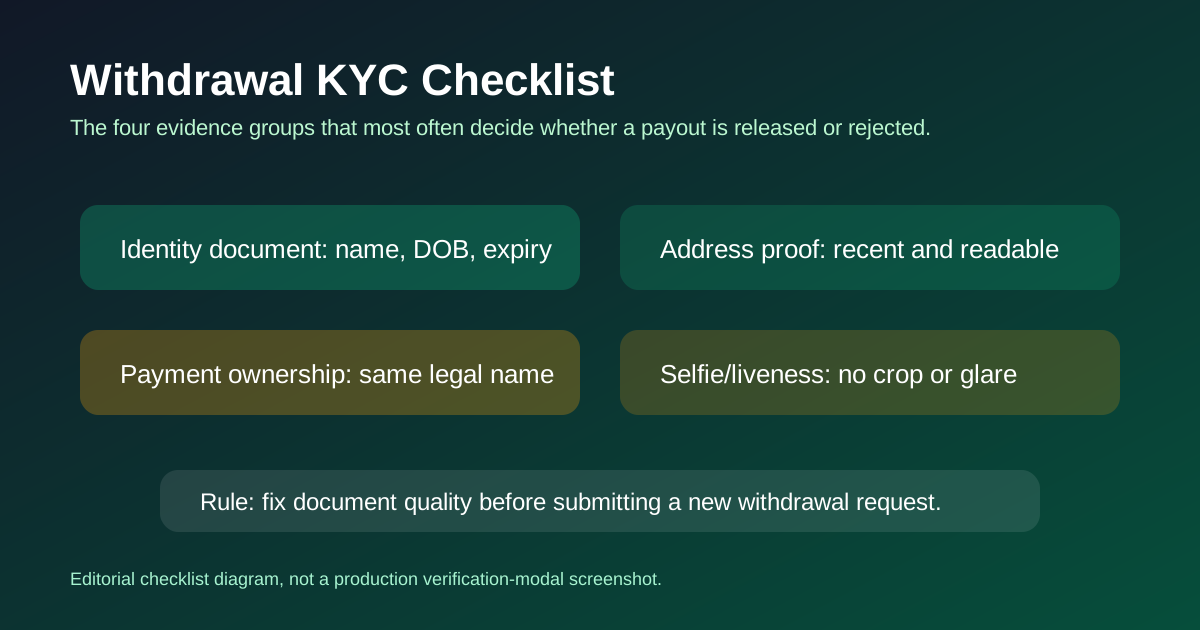
KYC on Pin Up takes four documents, two uploads each (front and back for the ID in most cases), and about 30 minutes of actual work if your documents are in order. The median approval time from my own account and reader data is 4–8 hours for a clean submission and 12–48 hours if anything needs a second review. This page is the pre-upload checklist that prevents the 22 rejection codes I documented separately.
Why KYC Exists on Pin Up
Pin Up operates under Curacao license OGL/2024/580/0570, which requires every licensed operator to run Know Your Customer checks before paying out. The checks serve three purposes: prove you're over 18, prove you're the real account holder and not a fraud, and prove the funds aren't proceeds of crime. All three are regulatory requirements, not arbitrary Pin Up policies. Every legitimate operator does the same checks with roughly the same document list.
The KYC provider Pin Up uses is SumSub — a third-party compliance vendor that handles document OCR, facial recognition, and watchlist screening. SumSub is also used by Binance, Revolut, and roughly half the regulated fintech industry. The rejection codes on the rejection reasons page reflect SumSub's standardized checks, which is why the same codes appear on other SumSub-integrated platforms.
The Four Documents You Need
Document 1: Government ID (front and back)
Accepted formats: passport (biodata page), national ID card (both sides), or driving license (both sides). The document must be issued by a government authority, not a private entity, and must have a photo, full name, date of birth, document number, and a future expiry date. Digital IDs stored in a phone wallet app are not accepted — Pin Up needs a photo of a physical or digital document file (JPG/PDF), not a screenshot of an Apple Wallet card.
Shoot tips: daylight, matte dark surface, flash off, all four corners visible with 10% whitespace margin, text legible at 50% zoom when you pinch-zoom in your gallery app before uploading. If the text is blurry in your own gallery, it will fail OCR at SumSub.
Document 2: Selfie with Document
A current selfie of your face with the same ID document held next to or in front of your chin. Some jurisdictions require a hand signal (thumbs up or a written note with today's date). Read the instruction text on the upload slot before you shoot — Pin Up enables the hand-signal requirement for certain high-risk countries and you won't know from the general instructions.
Pose match matters. If your ID photo shows you clean-shaven and you now have a beard, retake the selfie cleanly shaven or angle your chin to minimize the difference. Landmarks around eyes, nose bridge, and forehead are what facial recognition actually matches against. Beards affect less than people think, but they can push a borderline score below threshold.
Document 3: Address Proof
Accepted: utility bill (electricity, gas, water, landline), bank statement, tax letter, council tax, government correspondence, bank-issued residence certificate. Not accepted: mobile phone bill, amazon delivery note, package tracking screenshot, insurance quote letter. The document must be dated within the last 90 days from the day you submit and must show your full name and full address matching your Pin Up profile.
If you rent and don't have a utility bill in your name, the simplest workaround is to open a digital bank account (Revolut, N26, Wise) and use the welcome letter or first monthly statement as address proof. These come fast, are always in your name, and meet the 90-day freshness check by definition.
Document 4: Payment Method Ownership
Only required if your deposit method isn't already linked to your Pin Up account name. For cards, this is a photo of the physical card with the first 6 and last 4 digits visible, the rest masked, and the cardholder name readable. For e-wallets, it's a screenshot of the wallet account page showing your name. For bank transfer, it's a bank statement header showing your name as the account holder.
Step-by-Step Upload Walkthrough
Open the Verification Panel
Log in to Pin Up, click your profile avatar top-right, select "Verification" or "KYC" depending on your locale's label. You'll see four document slots. If any slot is already green ("Approved"), you've already cleared that document from a previous submission.
Update Your Profile First
Before uploading anything, confirm your profile name, date of birth, address, and country match the documents exactly. A mismatch at upload time triggers rejection codes KYC-11, KYC-12, or KYC-16. Fix the profile first, then upload.
Upload Government ID
Click the "ID front" slot, upload the JPG. If your ID has data on the back (most national ID cards), upload the back to the "ID back" slot. For a passport, only the biodata page is required — leave the back slot empty or upload the next page if prompted.
Upload Selfie
Click the selfie slot, upload the selfie-with-ID photo. Confirm face centered, document legible in the same frame, no filters, no sunglasses. Check the upload instructions again for any hand-signal requirement.
Upload Address Proof
Click the address slot, upload the 90-day-fresh utility bill or bank statement. Verify the header date and the address match your profile before clicking upload.
Submit and Wait
Click "Submit for review". The status changes to "Pending". SumSub runs automated OCR and facial recognition in ~2 minutes, then a human reviewer confirms or flags the result. Median time to "Approved" in my data: 4–8 hours for clean packs. Check back after a few hours — or in the cashier where the status updates live.
What Happens After You Submit
Automated checks run first. SumSub extracts the document fields via OCR, compares them against your profile, runs facial recognition between the selfie and the document photo, and checks name/DOB against sanctions and PEP lists. If all checks pass the automated threshold, a human reviewer does a final visual pass — maybe 30 seconds of manual review for a clean submission — and flips the status to "Approved".
If anything fails, you get one of the 22 rejection codes. The rejection email arrives within a few hours of submission (or within minutes if it's an automated-check failure). Fix the specific document, re-upload only the rejected slot, and the review clock restarts for that document alone — other approved documents don't need to be resubmitted.
Common Mistakes That Delay KYC
- Uploading before updating the profile. Address or name mismatches are the top auto-reject reason. Always fix the profile first.
- Re-uploading a screenshot of a previous photo. Every re-upload should be a fresh capture with fresh metadata. SumSub occasionally flags re-uploads of old files.
- Using a phone beauty filter you forgot was on. Disable it in camera settings before the selfie. Even a mild smoothing filter can trigger KYC-08.
- Submitting on a weekend. SumSub runs 24/7 for automated checks, but the human review pool is smaller on weekends. Monday–Thursday morning UTC is the fast window.
- Skipping the payment method ownership step. Even if the slot isn't mandatory at upload time, support will ask for it later when you request your first withdrawal.
KYC Problem Router (Use This if Verification Is Stuck)
If your payout is blocked by verification, match your exact issue below instead of re-uploading random files. Each branch maps to the most common long-tail KYC failure patterns I see in support tickets.
KYC Approved but Withdrawal Still Pending
This usually means KYC passed but the payout is waiting on payment-rail checks or manual review. First verify your withdrawal status labels on the withdrawal not working page, then compare your wait time against delayed payouts thresholds.
KYC Rejected for Blurry or Cropped Documents
Retake the image in daylight with all four corners visible and no flash. Do not crop aggressively after shooting. For the exact rejection code and fix, use the KYC rejection codes database and apply the remedy tied to your code.
KYC Rejected for Name or Address Mismatch
Update profile data first, then re-upload address proof newer than 90 days. If your legal name differs due to abbreviations or transliteration, use a bank statement that matches your profile format and keep one spelling across account, payment method, and documents.
First Withdrawal Requires Extra KYC
That is normal for first cashouts, especially when deposit and withdrawal rails differ. Prepare payment ownership proof in advance, then follow the first withdrawal timeline breakdown so you know which waiting periods are expected.
What to Send Support (If KYC Is Delayed Over 48 Hours)
When KYC sits in pending state too long, send a single structured message with: account ID, KYC submission time in UTC, rejection code (if any), and two screenshots (verification status + cashier status). This reduces back-and-forth and helps support escalate to compliance faster.
| Issue | Attach This Evidence | Best Internal Guide |
|---|---|---|
| KYC pending over 48h | Verification panel status + submission timestamp | Delayed payouts |
| KYC rejected | Rejection code screenshot + replaced document | Rejection codes |
| Withdrawal blocked after KYC | Cashier status + method selected | Not working checks |
| Method ownership requested | Card/wallet ownership proof | Methods comparison |
KYC Re-verification (When Pin Up Re-asks)
Once approved, KYC is normally final. Pin Up re-triggers verification in three cases: document expiry (your ID reached its expiry date, so you need a new one uploaded), address change (you updated your profile address), or enhanced due diligence (you crossed a source-of-funds threshold). Re-verification uses the same upload flow as the first round but only for the specific documents requested.
Keep a folder on your phone with fresh copies of your ID, a recent utility bill, and a known-good selfie pose. Updating one slot later takes 10 minutes if you're prepared.
Related Field Reports
Use these supporting tests to verify the page advice with fresh, specific evidence: