
Pin Up Delayed Payouts: Root Causes and Fix Scripts

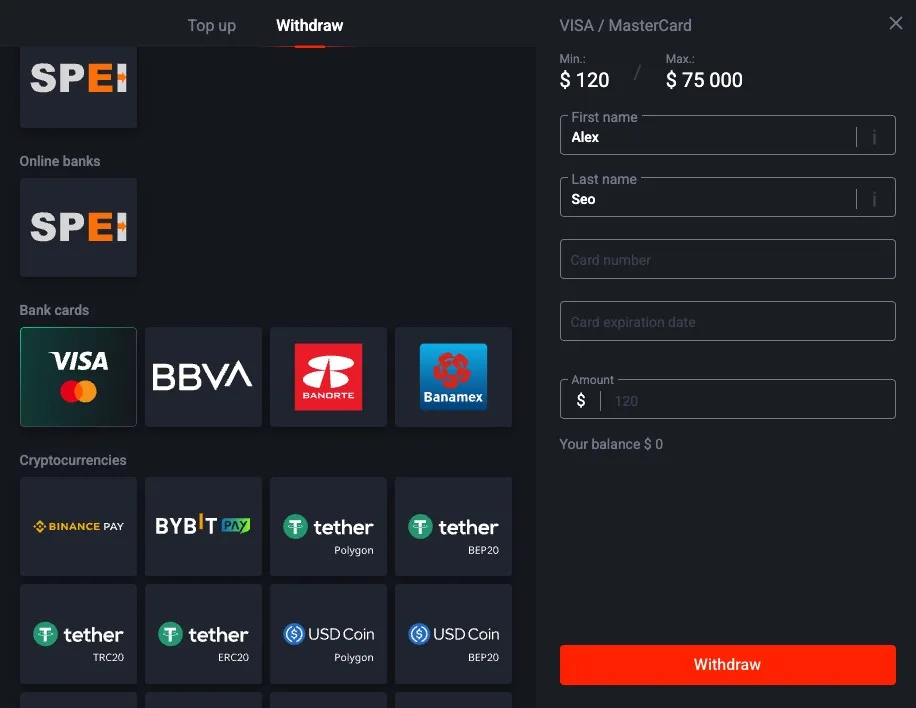
A withdrawal is "delayed" once it crosses the advertised ceiling for its method. Card over 24 hours, e-wallet over 90 minutes, bank transfer past 5 days. Below each ceiling you're still in normal distribution territory. Above it, you're in the tail, and it's worth investigating. This page catalogs every reason I've documented for a Pin Up payout going into the tail, plus the exact fix I run for each one.
When Is a Delay Actually a Delay?
| Method | Investigate after | Escalate after |
|---|---|---|
| Pix | 10 minutes | 1 hour |
| UPI | 2 hours | 6 hours |
| E-wallet | 2 hours | 8 hours |
| Crypto (TRC-20) | 2 hours | 8 hours |
| Card | 24 hours | 48 hours |
| Bank transfer | 3 business days | 5 business days |
These thresholds are operational triggers, not legal promises. They help you decide whether to wait, troubleshoot, or escalate.
The Top 8 Root Causes
1. Active Bonus Wagering Not Met
The #1 cause of "delayed" payouts that aren't actually delayed. Pin Up lets you click Request Withdrawal while a bonus is active with unmet wagering, then silently voids it 20–60 minutes later with a generic "cancelled" message. The status bar shows "Pending" for a while and then flips to "Cancelled" with no specific reason. This isn't a Pin Up bug; it's how the bonus system interacts with the cashier.
Fix: Cashier → Active bonuses. If any show wagering < 100%, either wager out or cancel the bonus. Once the bonus is forfeited, the withdrawal button accepts requests normally. Re-request and the clock starts fresh.
2. First-Withdrawal Compliance Review
Every brand-new account's first withdrawal goes through manual compliance sign-off even if KYC is technically approved. This adds 8–48 hours to the expected time for that method. The cashier doesn't explicitly mark the payout as "under compliance" — it just shows "Pending" for longer than usual.
Fix: Patience for up to 48 hours. If past 48 hours, open live chat and ask explicitly: "Is this withdrawal under compliance review?" Agents can confirm or deny based on internal status. If it's stuck in review past 48 hours, escalate to finance@.
3. Source-of-Funds Threshold Triggered
A single transaction above €2,500 or cumulative deposits/withdrawals past a ~€10,000 rolling window triggers enhanced due diligence. Pin Up sits the payout on "Pending" while compliance waits for you to upload SoF documents. The cashier often fails to display the SoF request prominently — it may appear as a small banner or only inside the support ticket.
Fix: Proactively email [email protected] asking if SoF documentation is needed. Upload payslips, employment contract, or business income statements before they ask. Usually unlocks the payout within 24–48 hours of SoF approval.
4. Destination Method Outage
Sometimes the destination rail is temporarily down on the provider side. Skrill maintenance window, NPCI UPI outage, Pix network hiccup, Visa network down. Pin Up holds the payout internally until the provider is back up — it doesn't fail it, just waits.
Fix: Check the provider's status page (status.skrill.com, NPCI website, downdetector). If confirmed outage, wait. If no outage reported, the issue is probably Pin Up-side, not provider-side — open live chat.
5. Weekend / Holiday Compliance Queue
Friday evening requests enter a weekend queue that doesn't start processing until Monday morning UTC. Public holidays (EU, UK, US) extend this further. My dataset shows a clear 2x median multiplier on Friday-evening-to-Monday-morning requests for cards and bank rails.
Fix: Wait out the weekend. If you regularly cash out on weekends, switch to Pix or UPI or e-wallet — these don't suffer the same queue effect because they're automated on subsequent payouts.
6. Card Network Batch Window Miss
Visa Direct and Mastercard Send have daily batch windows. If your card payout releases from Pin Up's side 30 minutes after the batch cutoff, it waits ~23 hours for the next batch. This looks like a delay but it's normal card network behavior.
Fix: Nothing to do — wait. Avoid this next time by requesting Monday–Thursday morning UTC so you catch the same-day batch window.
7. KYC Silently Reverted to "Pending"
Rare but real. Sometimes Pin Up re-opens KYC review on an already-approved account without notifying the user — usually because a document is about to expire, a new sanctions update happened, or the account triggered an integrity check. The verification panel shows "Pending" again and withdrawals pause.
Fix: Re-upload the document Pin Up is asking for. If no specific document is marked, email support@ and ask "Why is my KYC back in Pending state?" Agents will confirm which document needs refresh.
8. Destination Account Name Mismatch
For bank transfers in particular, the receiving bank sometimes rejects the payout if the destination account name doesn't exactly match the sender's declared beneficiary name. The money bounces back to Pin Up, which credits it to your Pin Up balance with a delayed notice.
Fix: Check your destination account name is an exact match for your Pin Up account name — including middle names, hyphens, and diacritics. If mismatched, fix the bank side or the Pin Up side to match, then re-request.
The Escalation Script I Use
When a payout is genuinely stuck past the method's advertised ceiling and I've ruled out bonuses, KYC, SoF, and destination mismatch, I open live chat with this message:
"Hi, my withdrawal reference [REF] was submitted on [date] at [time] UTC. Method: [method]. Amount: [amount]. KYC is fully approved (all four slots green). No active bonuses with unmet wagering. Amount is below the compliance threshold. Deposit source matches withdrawal destination. The payout has been Pending for [hours] which is past the advertised ceiling for this method. Can you check the internal status code and let me know what's blocking it?"
The key phrase is "internal status code". Agents have two views of every payout: the customer-facing label ("Pending", "Processing", "Completed") and the internal code that tells them exactly where in the pipeline the payout is stuck. Asking for the internal code cuts through the generic "please wait up to 24 hours" script.
When to Escalate to Finance
Escalate to [email protected] if:
- Live chat can't give you the internal status code after 2 attempts
- Live chat gives you a code but the same code persists for 24+ hours
- The agent says "please wait 24 hours" and you're already 48+ hours past the advertised ceiling
- You received a rejection that doesn't match any of the 22 documented KYC codes and live chat can't explain it
Email template:
"Subject: Delayed withdrawal escalation — [your account email]
Account: [email/username]
Withdrawal reference: [ref]
Submitted: [date/time UTC]
Method: [method]
Amount: [amount]
Current status: [status as shown in cashier]
Live chat transcript: [paste or summarize]
All four KYC slots are approved. No active bonuses. Amount is below compliance threshold. Destination matches deposit source. Past advertised ceiling for the method by [hours].
Requesting investigation and status update. Thank you."
Long-Tail Delay Scenarios (Quick Routes)
- "Pin Up withdrawal pending but KYC approved" — re-check bonus and source-of-funds trigger, then use live chat script above.
- "Pin Up withdrawal processing for 24 hours" — card and bank rails can still be normal; compare against processing times.
- "Completed status but money not in bank" — likely destination posting lag; confirm with bank statement timestamp before reopening support.
- "First withdrawal delayed" — first-request compliance is common; see homepage first-withdrawal notes and KYC checklist.
Related
The withdrawal not working page has the pre-escalation decision tree (run that first). The KYC rejection codes page covers document-side blockers. The processing times page explains what "advertised ceiling" means per method.